Live on Android · $3.99 one-time

WhatsApp
translation,
as you scroll.

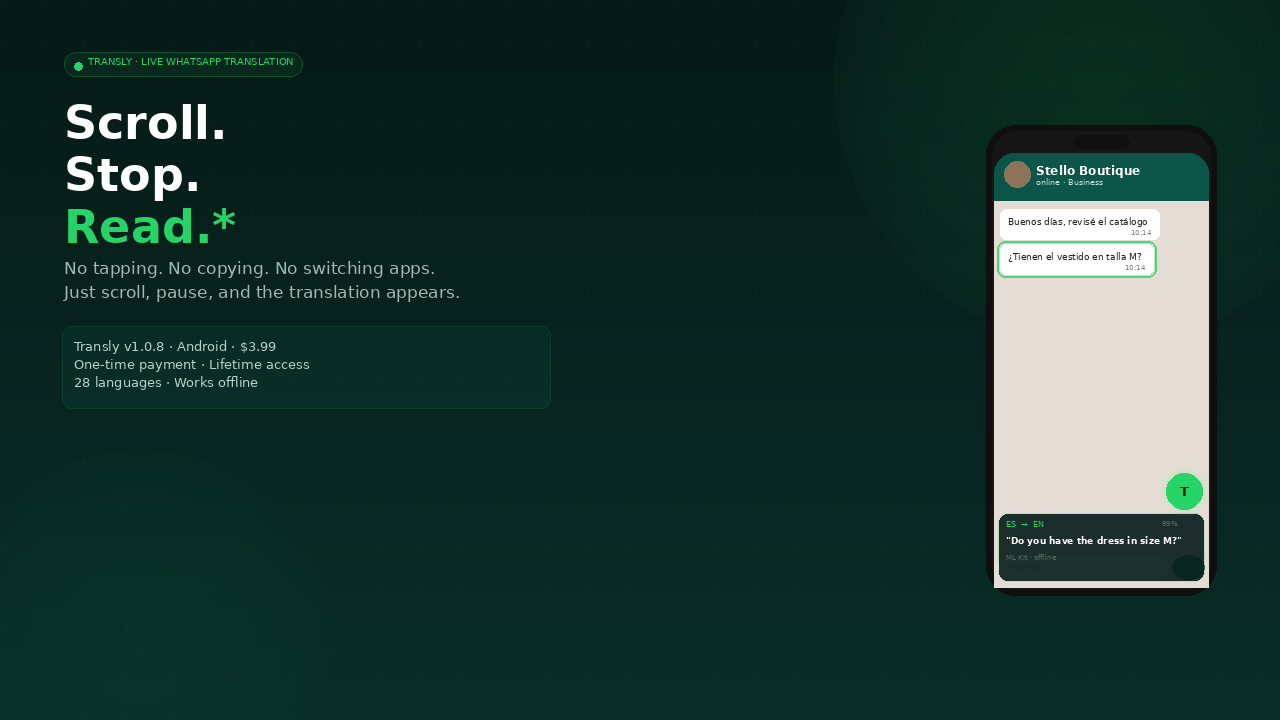
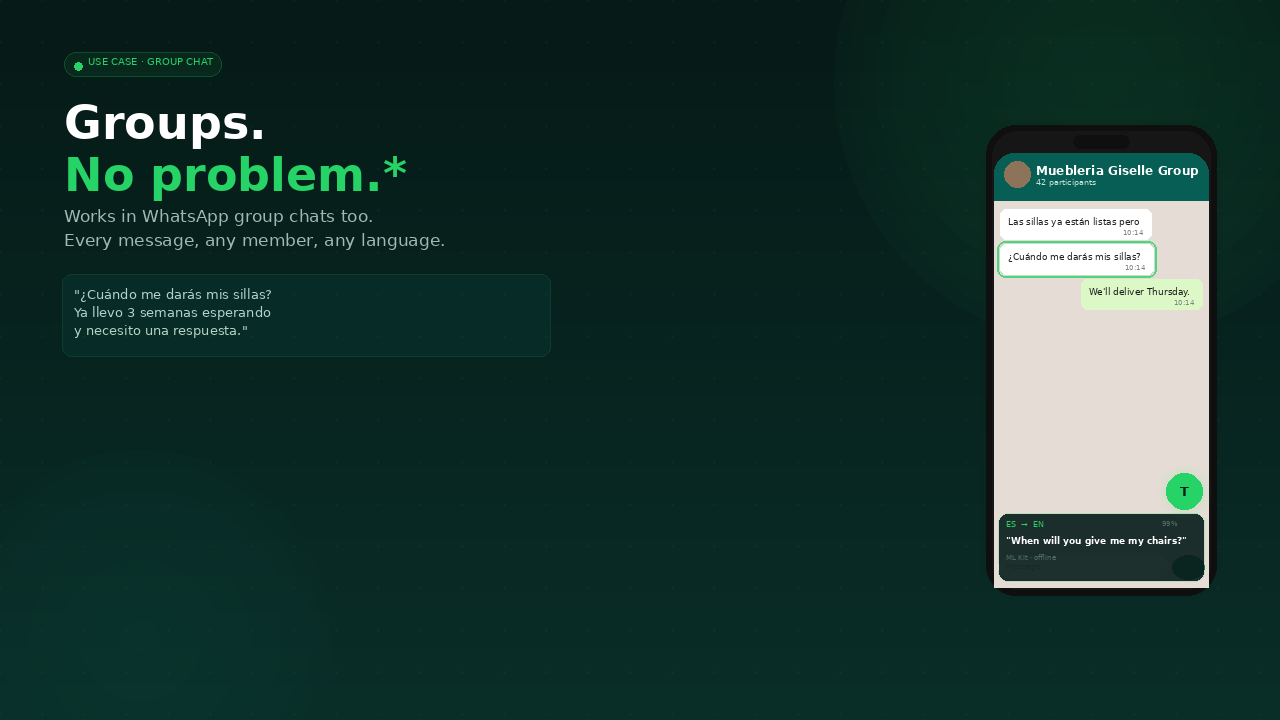
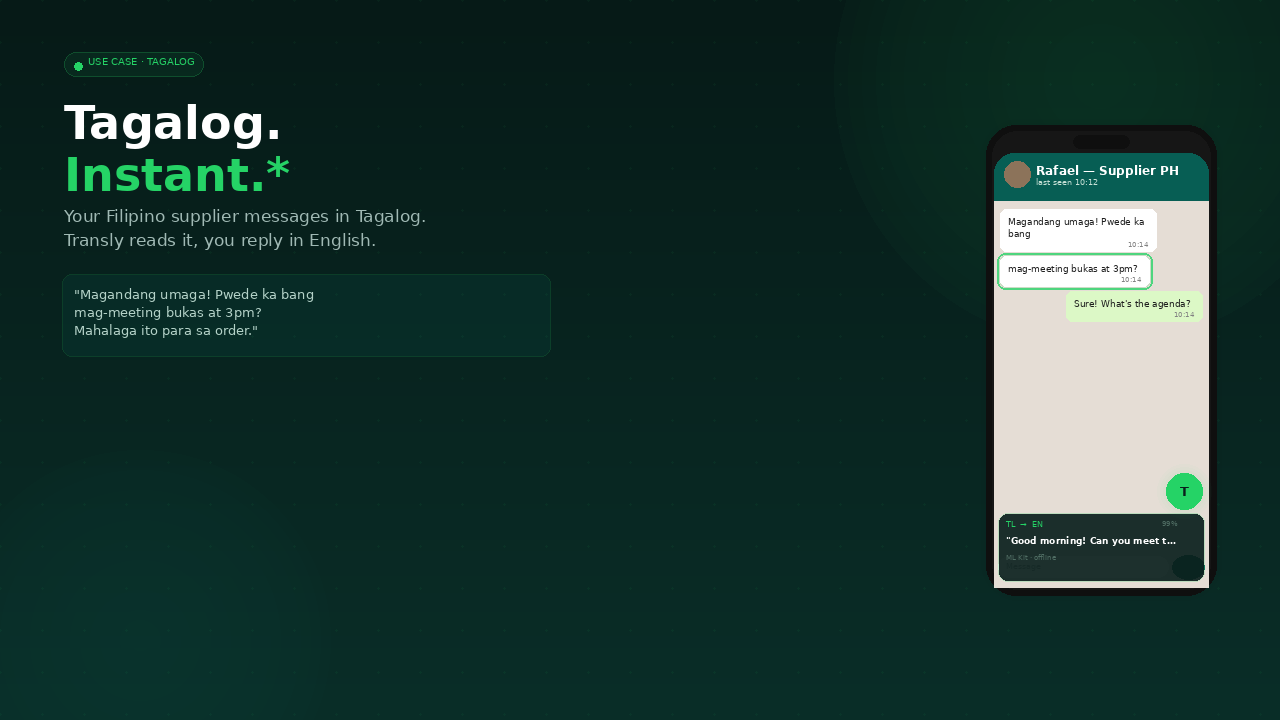
Transly reads any WhatsApp message and shows the translation instantly at the bottom of your screen. No tapping. No copying. No switching apps.

28 Languages
100% Offline
$3.99 Forever
Spanish → English· Arabic → English· Hindi → English· Japanese → English· Tagalog → English· Chinese → English· Portuguese → English· Russian → English· Bengali → English· Korean → English· German → English· French → English· Spanish → English· Arabic → English· Hindi → English· Japanese → English· Tagalog → English· Chinese → English·

Three steps.
Zero friction.

01
📲

Install the APK

Download Transly, install like any Android app. Takes 2 minutes including setup. Full guide included with purchase.

02
🔑

Enter your licence key

Your unique key arrives by email the moment you purchase. Type it in once. Transly activates and works on up to 2 devices.

03
💬

Open WhatsApp and scroll

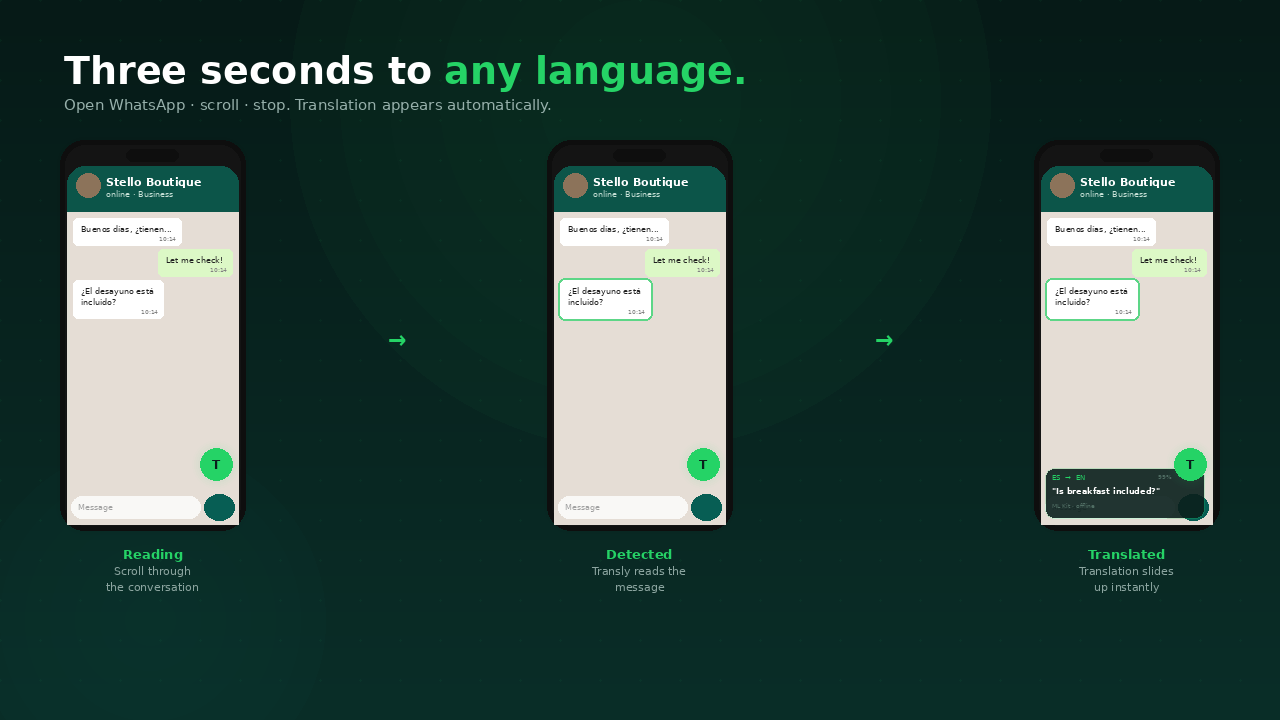
That's it. Transly runs invisibly. Every message you pause on gets translated instantly at the bottom of your screen.

How Transly works

Built for people who live
across language barriers.

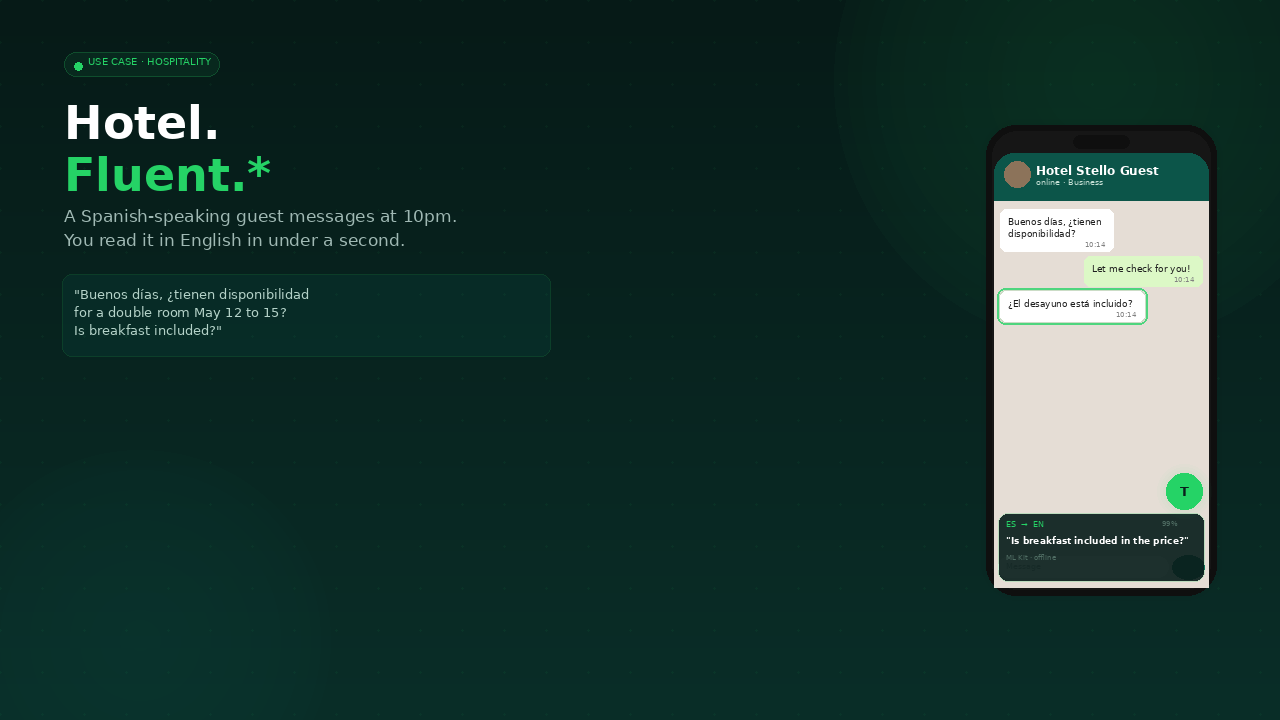
Transly for hospitality and hotel staff

Zero effort translation

Scroll, stop, read. The translation appears automatically. No tapping required — ever.

Private on-device translation

Your messages stay private

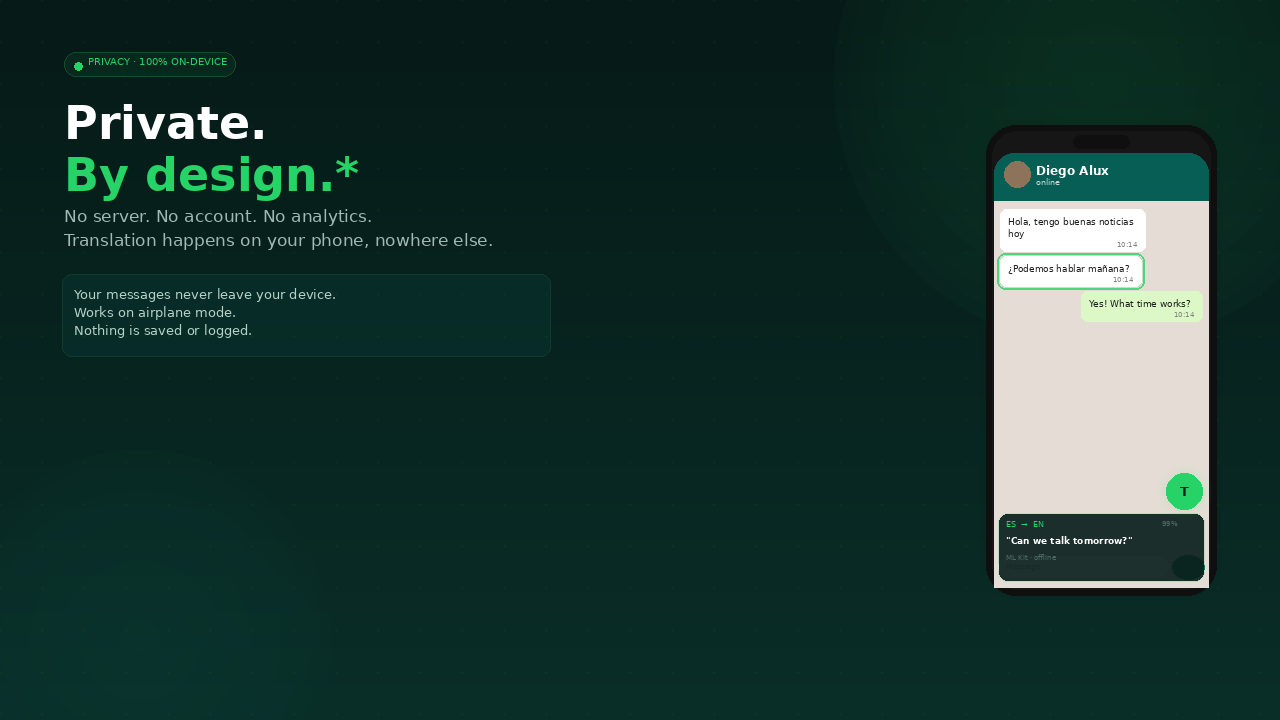
Translation happens on your device using Google ML Kit. Nothing is sent to any server. We literally cannot see what you're reading.

Works offline without internet

Works on airplane mode

Download a language model once (~30 MB). From that point it works forever with zero internet. Hotel wifi, flights, remote locations — Transly still translates.

Transly for business WhatsApp

WhatsApp + WhatsApp Business

One app. Works on both. Translates personal chats and business conversations equally.

Tagalog translation

Tagalog, Hindi, Bengali & more

Most translation apps focus on European languages. Transly includes the languages that actually fill people's WhatsApp inboxes.

Professional use cases

For professionals on the move

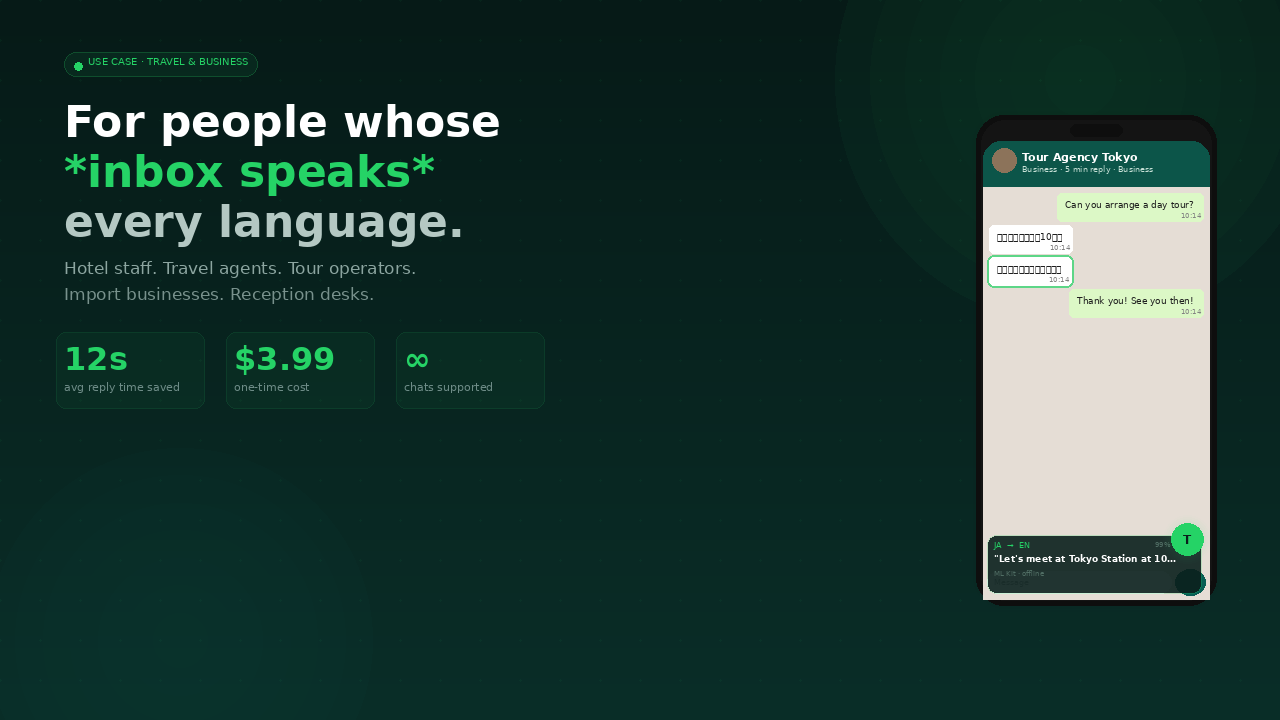
Hotel staff, travel agents, tour operators, importers, exporters — anyone whose work crosses a language barrier every single day.

Every language that matters
to your WhatsApp.

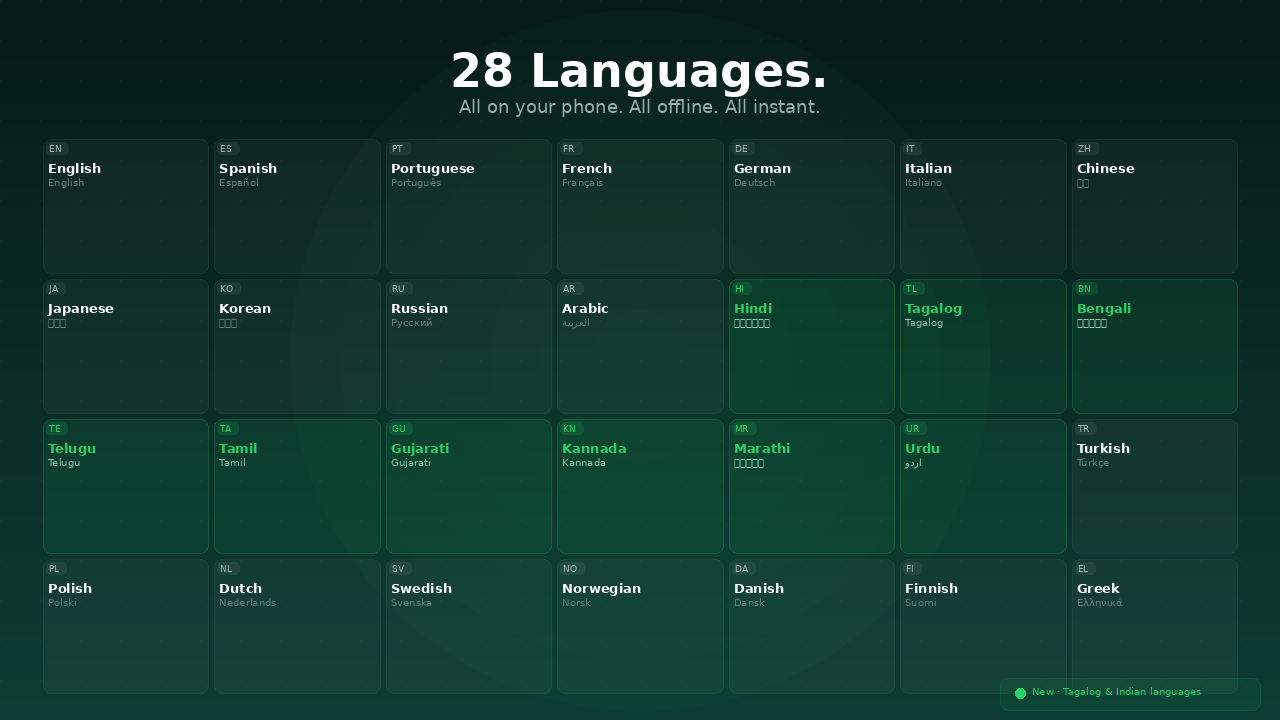
All 28 language models work entirely offline after a one-time download.

🇬🇧 English
🇪🇸 Spanish
🇮🇳 Hindi
🇸🇦 Arabic
🇵🇭 Tagalog
🇯🇵 Japanese
🇫🇷 French
🇩🇪 German
🇰🇷 Korean
🇨🇳 Chinese
🇧🇷 Portuguese
🇷🇺 Russian
🇹🇷 Turkish
🇧🇩 Bengali
🇮🇳 Gujarati
🇮🇳 Kannada
🇮🇳 Marathi
🇮🇳 Tamil
🇮🇳 Telugu
🇵🇰 Urdu
🇮🇹 Italian
🇳🇱 Dutch
🇵🇱 Polish
🇸🇪 Swedish
🇳🇴 Norwegian
🇩🇰 Danish
🇫🇮 Finnish
🇬🇷 Greek
All 28 languages in Transly

Setup in 2 minutes.
We wrote the guide for you.

1

Purchase & download

Buy Transly for $3.99. You immediately receive an email with your unique licence key and a download link for the APK file.

2

Allow installation from unknown sources

On your Android phone, go to Settings → Security (or Apps → Special app access) and allow installation from your browser or file manager. This is a one-time setting.

3

Install the APK

Open the downloaded transly-v1.0.11.apk file from your Downloads folder. Tap Install. Takes about 10 seconds.

4

Grant Accessibility permission

Open Transly → tap Grant Access → go to Accessibility → Transly → Enable. This is what allows Transly to read your WhatsApp screen.

⚠️ Android 13 or 14? You may need to unlock "Restricted Settings" first. See the guide below.
5

Enter your licence key

Open Transly and type the key from your purchase email. Format: XXXXXXXX-XXXXXXXX-XXXXXXXX-XXXXXXXX. Tap Activate — done.

6

Download your language

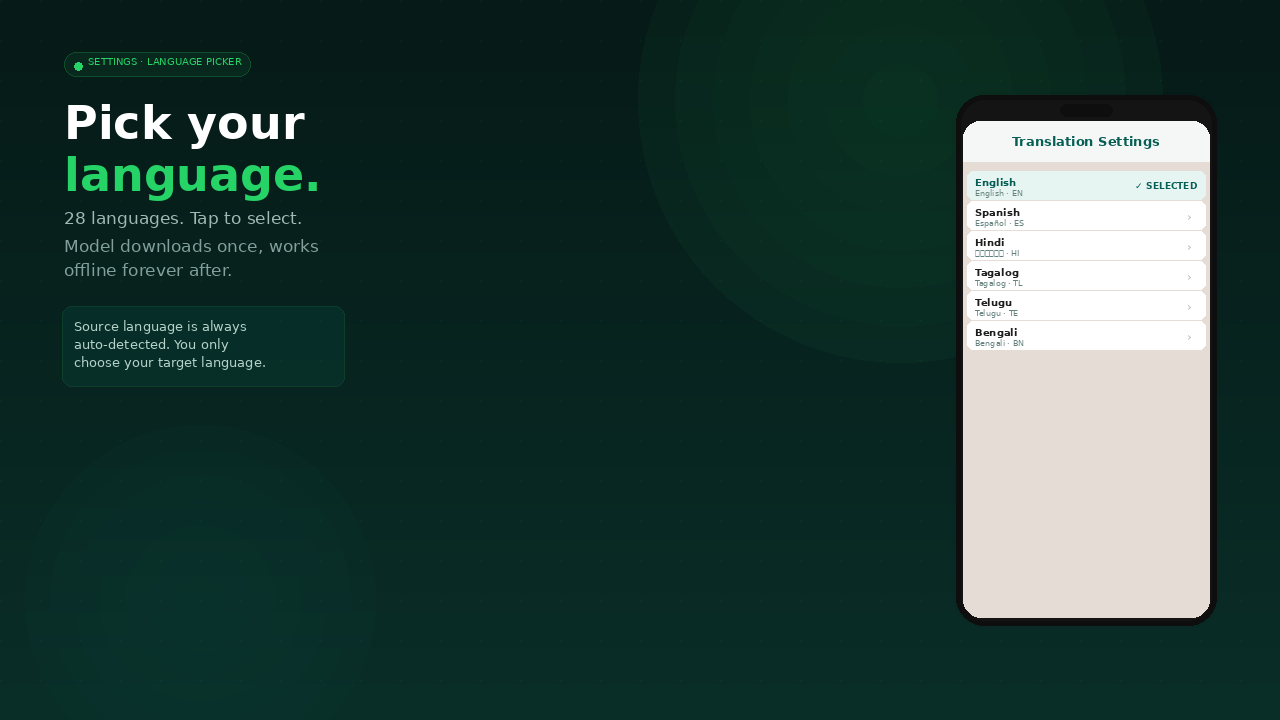
In Transly settings, tap your target language to download its offline model (~30 MB). One-time download. Works offline forever after.

Transly settings screen
⚠️ Android 13 & 14 Only

Restricted Settings Fix

Google added extra security in Android 13 and 14 that blocks accessibility permissions for apps installed outside the Play Store. One-time fix, takes 60 seconds.

1
Open Settings → Apps → Transly Find Transly in your installed apps list
2
Tap the three-dot menu ⋮ in the top-right corner On the App Info screen for Transly
3
Tap "Allow restricted settings" This option appears in the dropdown
4
Confirm with your PIN or fingerprint Android will ask you to verify your identity
5
Go to Accessibility → Transly → Enable The toggle will now work. Transly is ready!

Everything you can control.

🌍

Target Language

Choose which language your messages translate into. Change anytime from settings — switch between 28 languages instantly.

🎨

Highlight Color

Pick the highlight color shown on the message being translated. Six colors available: green, blue, purple, orange, pink, teal.

Translation Delay

How long to pause on a message before Transly translates it. Default 800ms. Adjust from 300ms to 2000ms to match your reading speed.

📊

Show Confidence

Toggle the accuracy percentage shown in the translation panel. Tells you how confident the model is in its translation.

🔍

Auto-detect Language

Transly automatically detects which language each message is in. No need to set a source language — works across mixed-language chats.

👥

Group Chats

Enable or disable translation in group chats. When enabled, translates every message as you scroll regardless of who sent it.

Questions people ask
before they buy.

Does Transly work on iPhone?
No. Transly uses Android's Accessibility Services to read the screen — Apple does not allow this on iOS. Transly is Android only. Works on Android 8.0 and above.
Is it safe? Can Transly read my private messages?
Transly uses Google ML Kit, which runs entirely on your device. Your messages never leave your phone. There is no Transly server. We cannot see what you're reading — it's architecturally impossible. The only network request Transly ever makes is downloading the language model the first time you pick a language (~30 MB, one-time).
Does it work without internet?
Yes, 100%. After you download a language model once (about 30 MB, takes a minute on any wifi), Transly works permanently offline. Airplane mode, poor hotel wifi, remote locations — makes no difference.
What does "$3.99 one-time" mean exactly?
You pay $3.99 once and use Transly forever. No subscription. No monthly fee. No "premium tier." No expiry. Your licence key activates on up to 2 devices and never expires.
What if I change phones?
Your licence allows 2 activations. If you change phones, email support@transly.app with your purchase email and we'll reset your key so you can activate on your new phone.
Why isn't it on the Google Play Store?
Google restricts apps that use Accessibility Services for text reading, even for legitimate purposes like translation. Transly is distributed as an APK — the same format as every Android app, just installed directly instead of through the Play Store. Millions of apps are distributed this way.
Does it work with WhatsApp Business?
Yes. Transly works with both WhatsApp and WhatsApp Business simultaneously. Same app, no extra cost.
What languages does it support?
28 languages: English, Spanish, Hindi, Arabic, Tagalog, French, German, Japanese, Korean, Chinese (Simplified), Portuguese, Russian, Turkish, Bengali, Gujarati, Kannada, Marathi, Tamil, Telugu, Urdu, Italian, Dutch, Polish, Swedish, Norwegian, Danish, Finnish, Greek.
I have Android 13 or 14 and can't enable accessibility. Help?
This is a known Android 13/14 restriction. You need to "Allow restricted settings" for Transly first. Full step-by-step instructions are in the section above and in the PDF guide included with your purchase. Takes about 60 seconds.
How do I contact support?
Email support@transly.app — we reply within 24 hours.

Stop switching apps.
Start reading.

$3.99. One-time. Works on 2 devices. Offline. Private. Forever.

Get Transly — $3.99 Instant download · Licence key by email
✓ Android 8.0+ ✓ WhatsApp & WhatsApp Business ✓ 28 languages offline ✓ 2-minute setup ✓ Email support included
Not available on iPhone · Android only